Frontend Architecture Overview
This document describes the architecture, data flow, and primary modules of the frontend application. The app is built as a frontend-driven platform that integrates ML-powered generation workflows and uses PocketBase as the central data layer.
1. High-Level Architecture
The application is built with React and Next.js and uses Material UI for interface components. PocketBase functions as the primary database and file storage system. External machine learning services are accessed through a Gateway and internal routing mechanisms.
The system does not rely on a traditional backend in the classical sense. Instead, PocketBase acts as the persistent data layer, while Next.js API routes operate as proxy endpoints. A Gateway service orchestrates machine learning operations. The frontend maintains real-time synchronization with the database through subscription mechanisms.
All persistent entities, including projects, conversations, templates, assets, shots, generation settings, timeline data, and media files, are stored in PocketBase.
2. Frontend Project Structure
2.1 Routing
The project uses the Next.js App Router with folder-based routing. Each folder corresponds directly to a route. Dynamic segments, such as project identifiers, determine which dataset is loaded and displayed. Route context also determines which agent and conversation state are active.
2.2 Component Organization
UI components are organized in a shared components directory and grouped by feature domains such as chat, storycraft, assets, shots, timeline, and utilities. The structure is feature-oriented rather than strictly layered.
Material UI serves as the base component library, but default components are wrapped and styled using a custom theme configuration. The application does not rely on unmodified MUI defaults.
2.3 Theming and Design Tokens
The interface is controlled through a centralized theme configuration supported by custom design tokens. These tokens define visual properties such as colors, typography, spacing, and component variants. The tokens are synchronized with design specifications and consumed as constants within the frontend codebase to ensure visual consistency.
3. State Management
Server state and asynchronous operations are managed primarily with TanStack Query. Localized state, when necessary, is handled with Zustand.
The system avoids duplicating persistent data in local state. PocketBase remains the single source of truth. The frontend subscribes to collection updates in real time, allowing generated results and status changes to propagate automatically to the interface.
4. Data Layer: PocketBase
PocketBase is the central data store and authoritative source of application data. It contains projects, conversations, templates, story items, assets, shots, timeline records, file storage, model configurations, and generation parameters.
Frontend requests generally transmit minimal data, often only identifiers. The Gateway or agent retrieves additional required data server-side. This design reduces payload size and centralizes data resolution.
5. Chat System
5.1 Overview
Each page instantiates a chat component instance. Although the interface appears uniform across pages, each instance operates with its own conversation identifier and context.
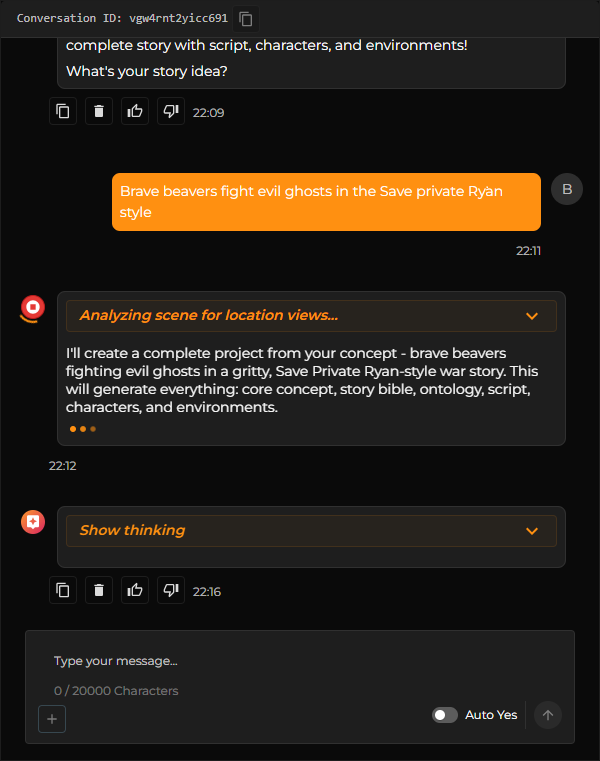
The context is derived from the active route. For example, when the user is on the StoryCraft page, messages are routed to the StoryCraft agent. When on the Shots page, requests are directed to the Project agent. Switching between tabs effectively switches conversation contexts.
5.2 Conversation Flow
When a user sends a message, the frontend forwards it to an internal API route. That route communicates with the appropriate machine learning agent. The agent processes the request and returns a response that is stored in PocketBase. The frontend receives updates through subscription mechanisms and renders the new state.
If a chat has no prior messages, a welcome message is automatically generated using the current context.
5.3 Structured Action Messages
Agents may return structured responses containing typed message payloads. In addition to plain text replies, messages may include structured action definitions. When such definitions are detected, the frontend renders interactive controls. Triggering these controls results in additional automated requests being sent to the agent.
6. Generation Workflow
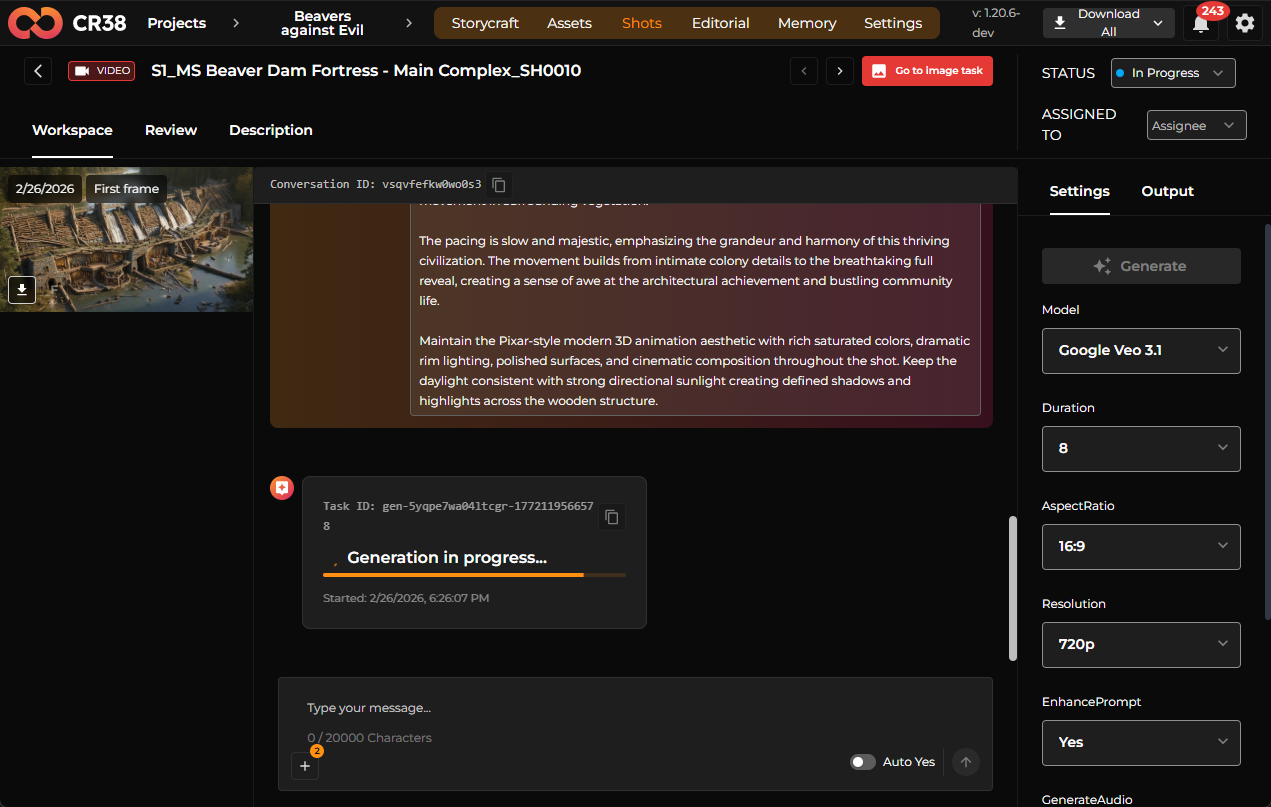
Content generation can be initiated either directly through a generate button or indirectly through interaction with an agent.
When generation is triggered via a button, the frontend sends a request to the Gateway. Only identifiers such as the card ID are transmitted. The Gateway retrieves card data, model configuration, and generation parameters from PocketBase before calling external machine learning APIs. The generated result is stored in PocketBase, and the frontend reflects the change through subscription updates.
When generation is initiated through chat, the agent may refine the user’s request before executing it. The final generation still follows the same Gateway execution pipeline. In both cases, generation parameters stored in PocketBase are respected.
7. StoryCraft Module
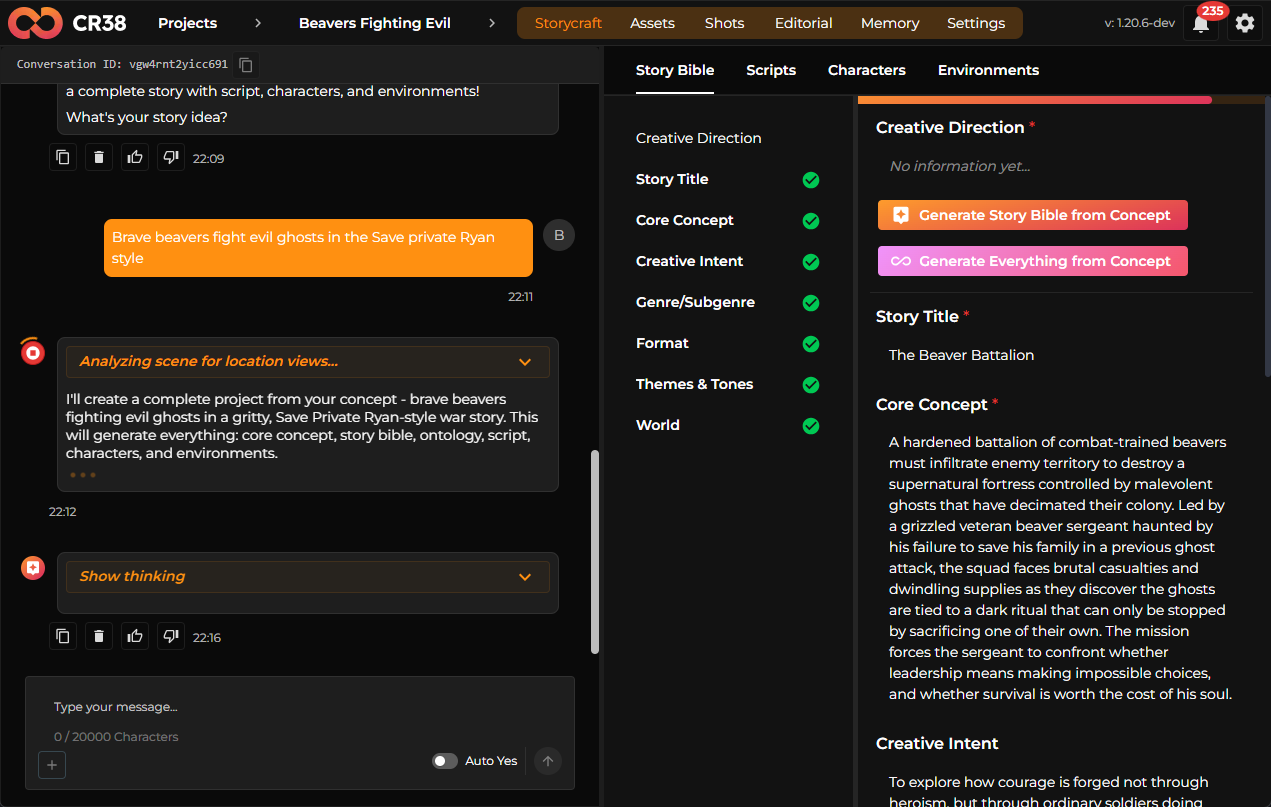
7.1 Templates
The StoryCraft module relies on templates stored in PocketBase. These templates define the structure and fields for tabs such as Story Bible, Scripts, Characters, and Proofreader. Templates specify field definitions, field types, required attributes, and display configuration. They are not hardcoded in the repository.
7.2 Story Items
User-generated content is stored as Story Items. Each item is linked to a template and contains field values that correspond to that template’s structure. References to files or related cards may also be included. When an agent generates content, it creates or updates Story Item records accordingly.
8. Assets Module
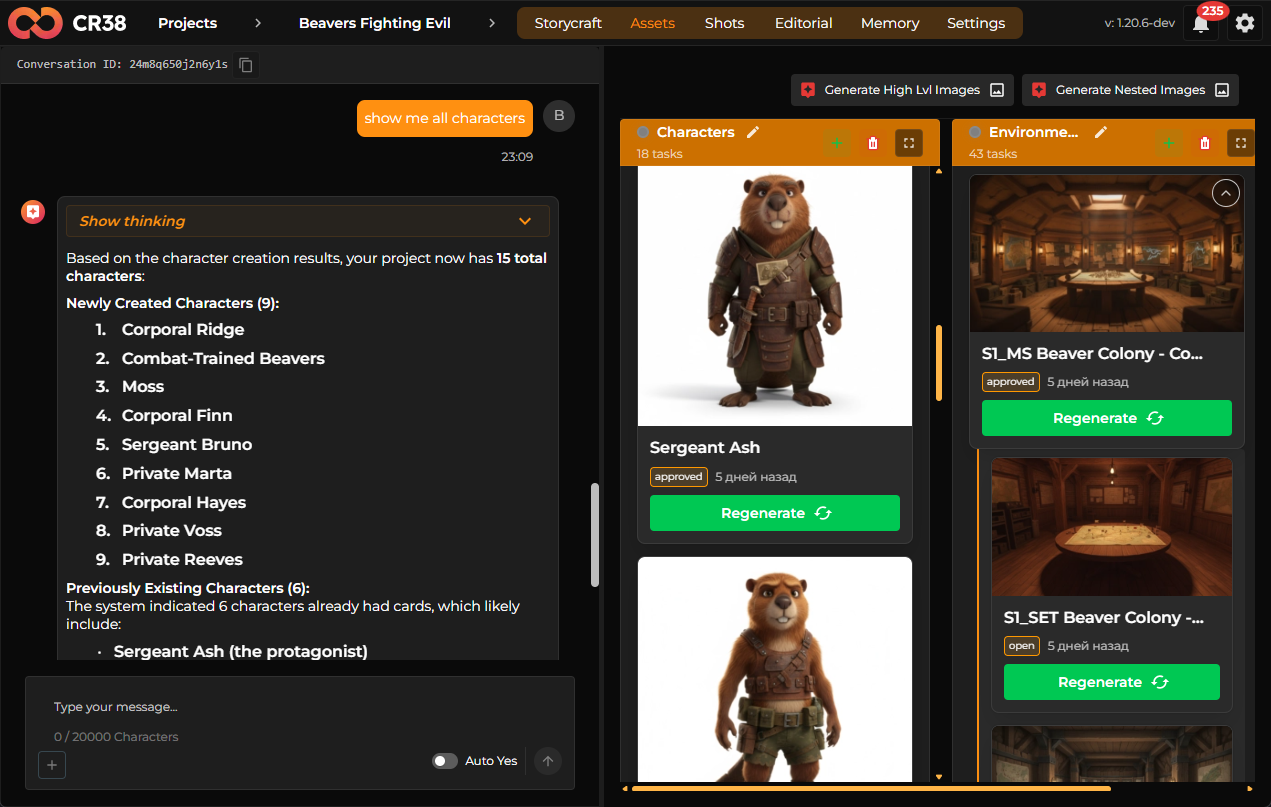
The Assets module manages visual entities such as characters and environments. Each asset contains a name and description and may have multiple visual versions. These versions generate associated cards used for media generation.
Default structural columns, such as characters and environments, are created by frontend logic as part of the workflow. Custom columns are technically supported but may not automatically integrate with agent logic.
9. Shots Module
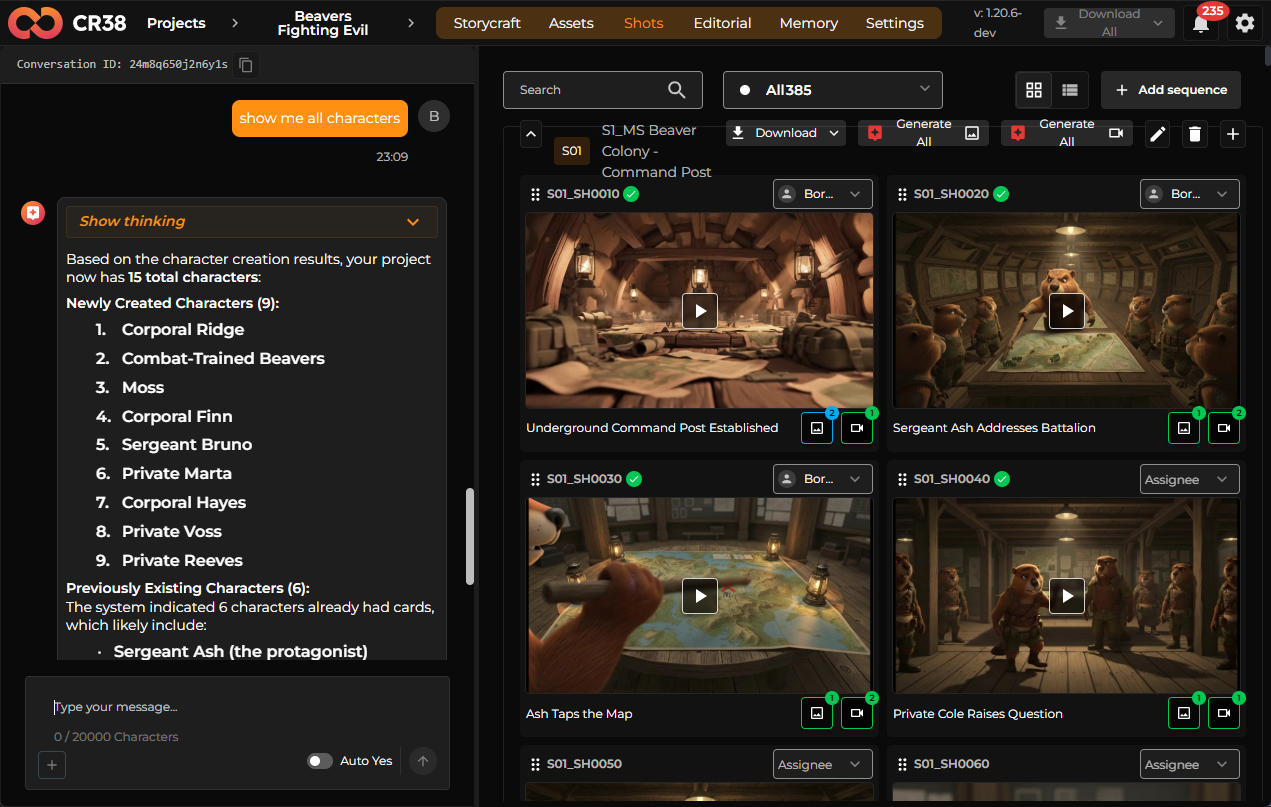
Scenes are decomposed into multiple shots. Each shot includes descriptive metadata, generation settings, references, and resulting image or video outputs.
Generating a scene may trigger multiple parallel generation requests. The system does not enforce aggressive throttling, so performance is dependent on available processing resources. The frontend subscribes to database updates and displays loading indicators until generation completes.
References may include multiple images as well as first-frame and last-frame indicators intended to improve visual continuity. However, continuity itself is determined by the generation model rather than enforced by frontend logic.
The Shots module include image and video chats used for AI assisted image and video generations.
The Shots module include Review containers for image and videos. Review container enables evaluation and approval of generated images and video sequences. Users can add comments, approve outputs, or send items back for revision. Approved images may be promoted to serve as first frames for subsequent video generation.
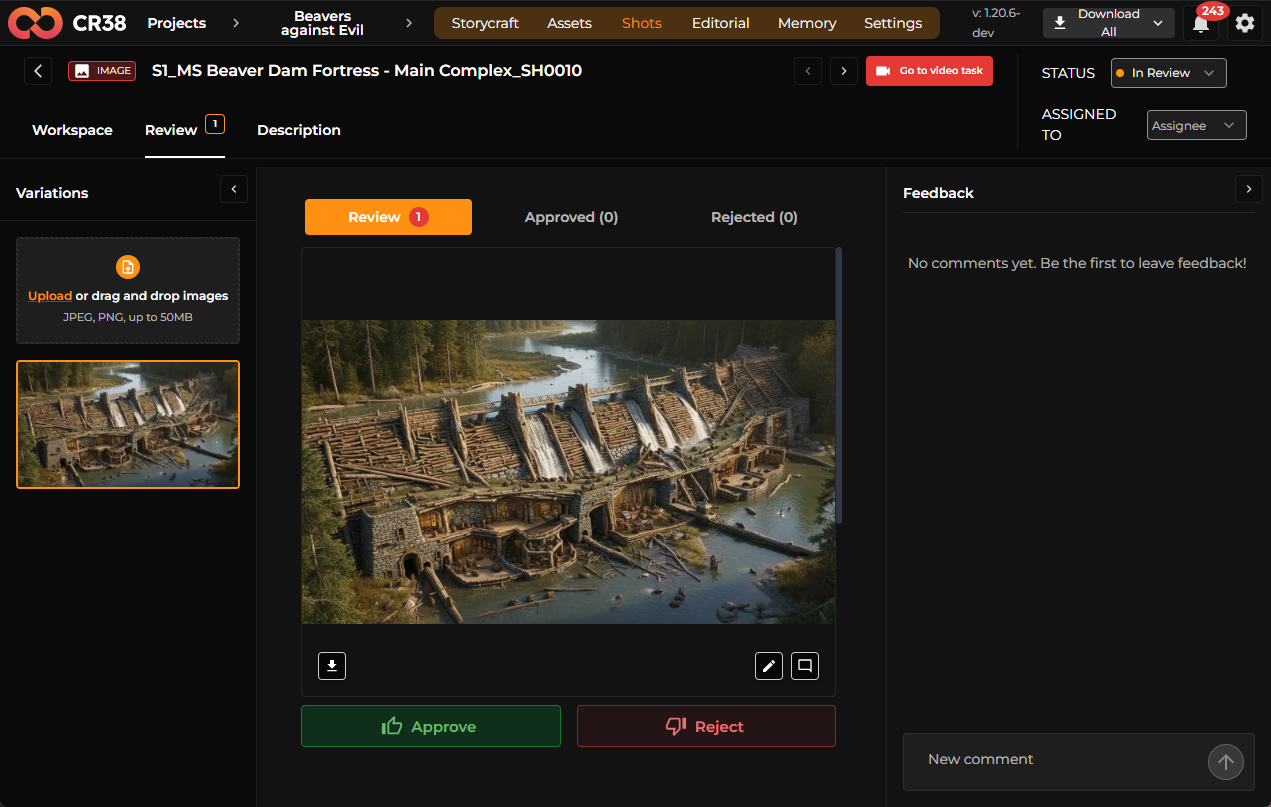
Users can also upload their own images directly into the review system, bypassing generation.
11. Editorial (Timeline) Module
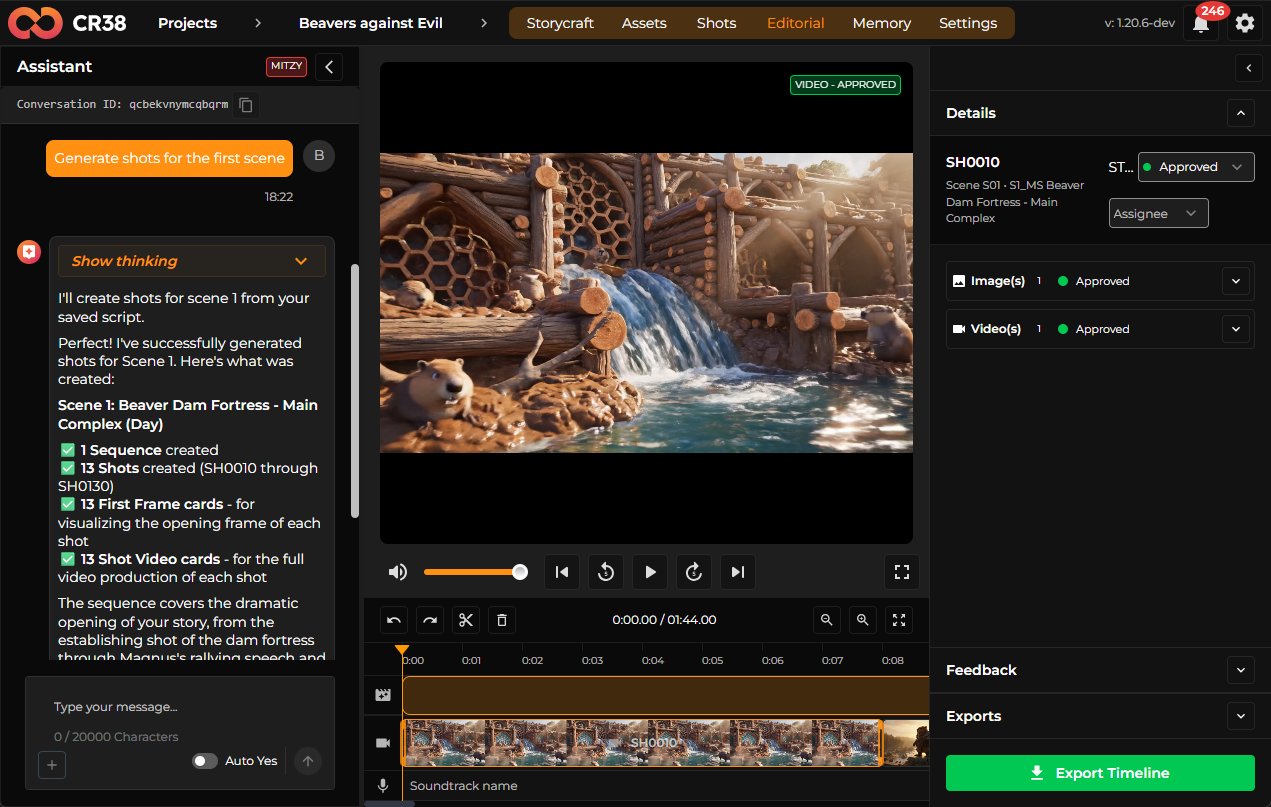
The Editorial module provides a timeline interface for assembling generated shots into sequences.
The timeline displays sequences in one row and individual shot clips beneath them. Each shot may display a generated video or, if unavailable, a static image. If neither exists, a placeholder is shown.
Display priority is determined by status. Updated videos take precedence over review-approved versions, which take precedence over recently generated content. Equivalent logic applies to images.
Timeline modifications such as reordering clips, trimming duration, and selecting versions are persisted in PocketBase. Timeline records store clip order, duration, trim offsets, and selected file references. Versioning support is planned but not fully implemented.
Export functionality generates a snapshot of the timeline state, sends it to the Gateway, and triggers media stitching. The final output is stored and made available for download once processing is complete.
12. Memory Module
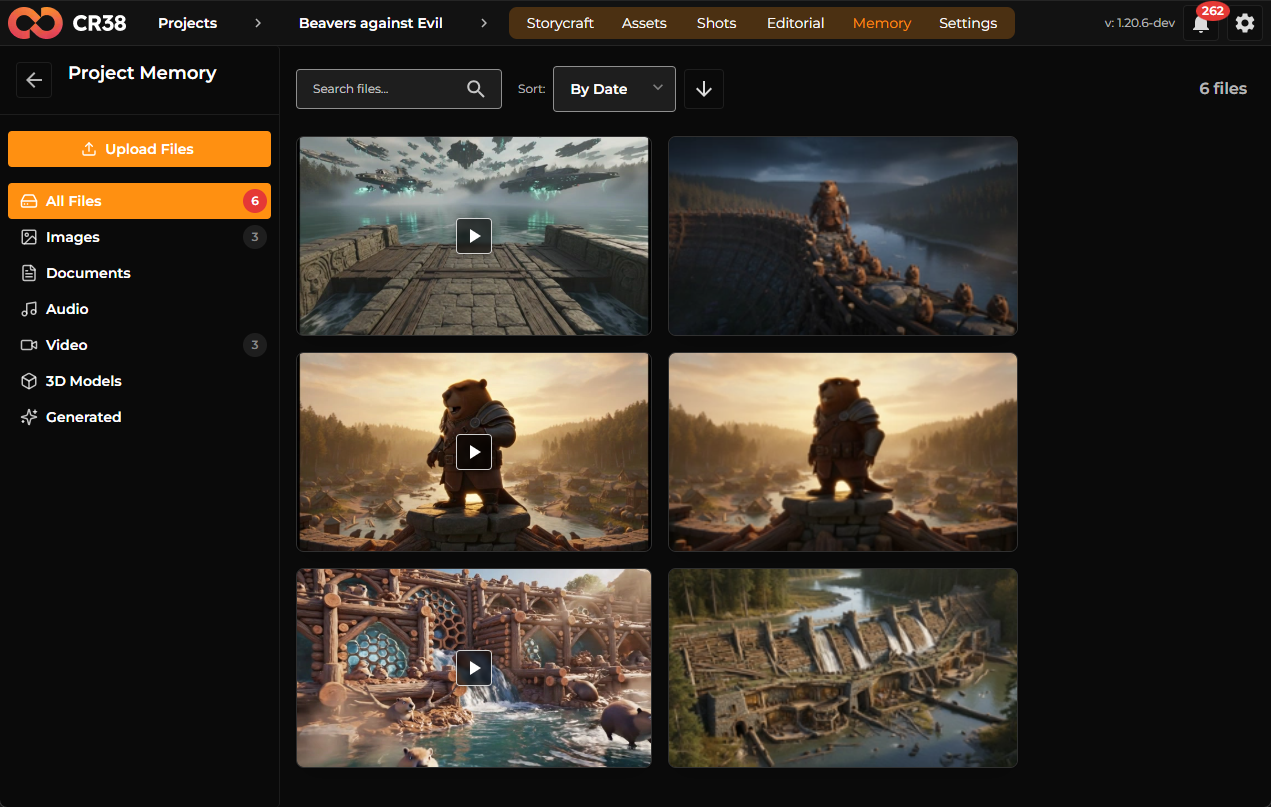
The Memory module functions as a project-level media repository. It displays generated images, generated videos, and uploaded files associated with the current project.
Files are stored in PocketBase and indexed for display within the Memory view. Not all files are automatically indexed, but most project-related media content is surfaced.
13. Project Configuration
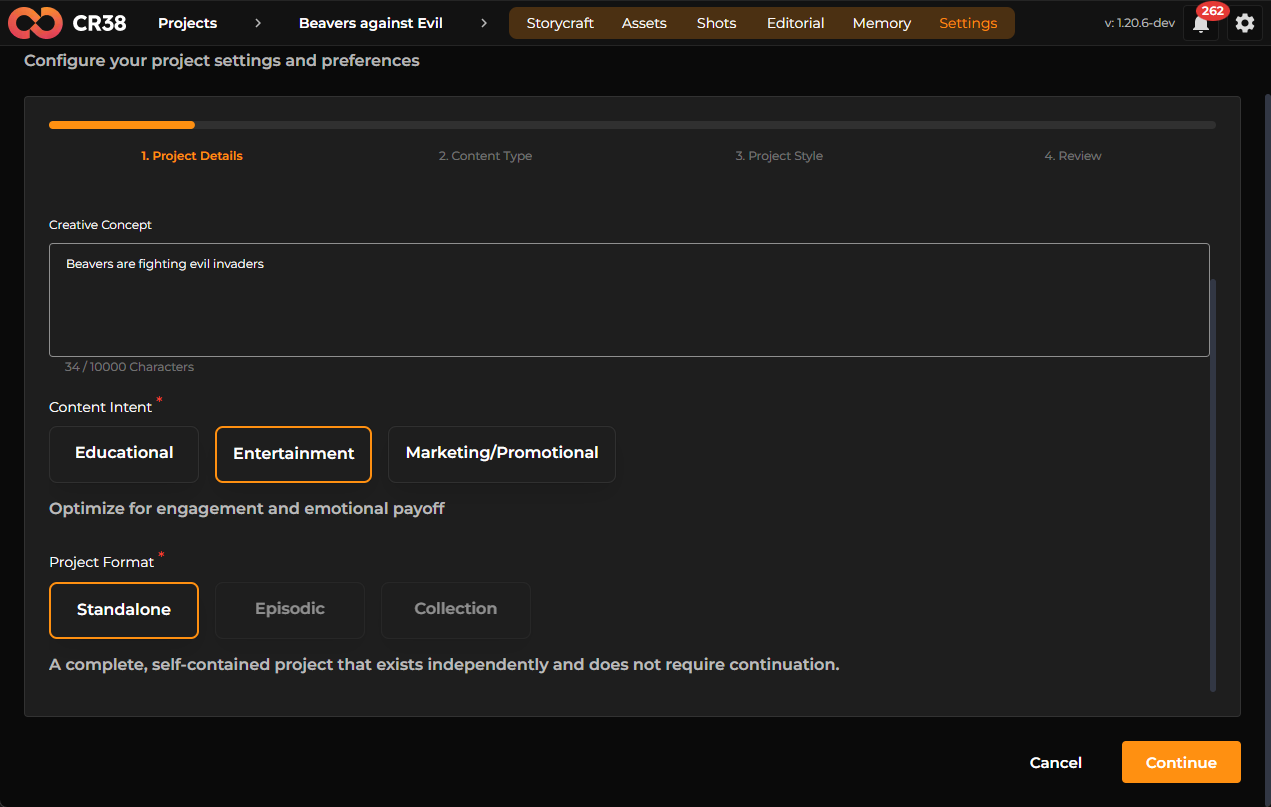
Project configuration defines metadata such as project name, description, runtime, format, audience, and visual style. These settings are intended to influence generation prompts.
Changes to project configuration affect future generations only. Existing generated content remains unchanged unless explicitly regenerated.
14. System Characteristics and Constraints
The architecture is frontend-centric, with PocketBase as the authoritative data source. Agents enhance prompt generation and contextual behavior. The Gateway orchestrates model execution. Real-time subscriptions maintain UI synchronization.
Certain limitations exist due to resource constraints, partial feature implementation, and dependencies between frontend logic and dynamic template structures. Continuity across generated media is model-dependent rather than enforced at the application layer.
15. Workflow Summary
The user workflow begins with project creation and concept definition in StoryCraft. It progresses through asset generation, shot creation, review, timeline assembly, and finally export. Each stage reads from and writes to PocketBase, maintaining a consistent data-driven lifecycle across the system.
The architecture prioritizes flexibility and rapid iteration while maintaining a centralized and consistent data model.