How to Keep Characters Consistent Across Scenes?
Creating believable visual stories requires characters to remain consistent across multiple scenes. If a character suddenly changes appearance, style, or proportions between shots, the illusion of continuity quickly breaks. The platform provides several tools and workflows designed to help maintain visual and stylistic consistency throughout a project.
This guide explains the recommended approach for keeping characters coherent as your project grows.
Character Cards as the Source of Truth
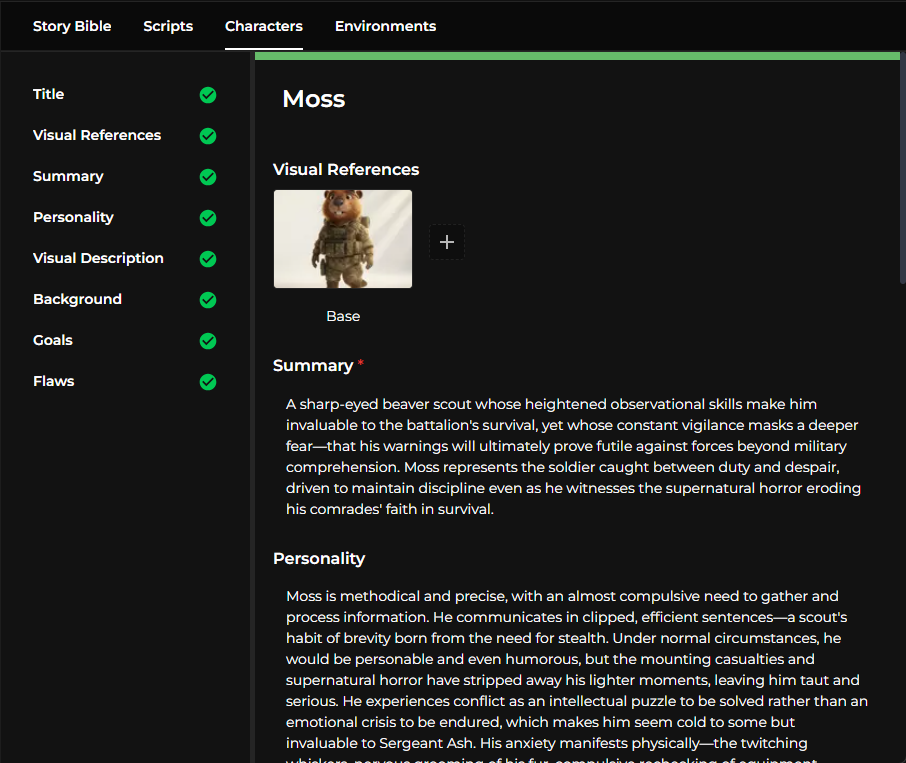
Every character should be built around a character card. The character card acts as the central place where the system stores the character’s description, visual attributes, and generation history.
Rather than treating each generation independently, the card keeps track of the entire evolution of the character. It records the prompts used to generate images, the model responses, and the references that were attached to different scenes. This historical context allows you to revisit earlier versions of the character and refine the description over time.
Because the card functions as the main reference point, it is usually better to update the description when something needs to change instead of deleting the character and starting over. Maintaining the same card preserves useful context and helps the system maintain continuity across future generations.
Tip
If you want to improve the character design, edit the description on the character card rather than creating a new character from scratch.
Choosing and Reusing the Best Character Version
When generating characters, it is common to receive several variations. These may differ slightly in facial features, clothing details, proportions, or style.
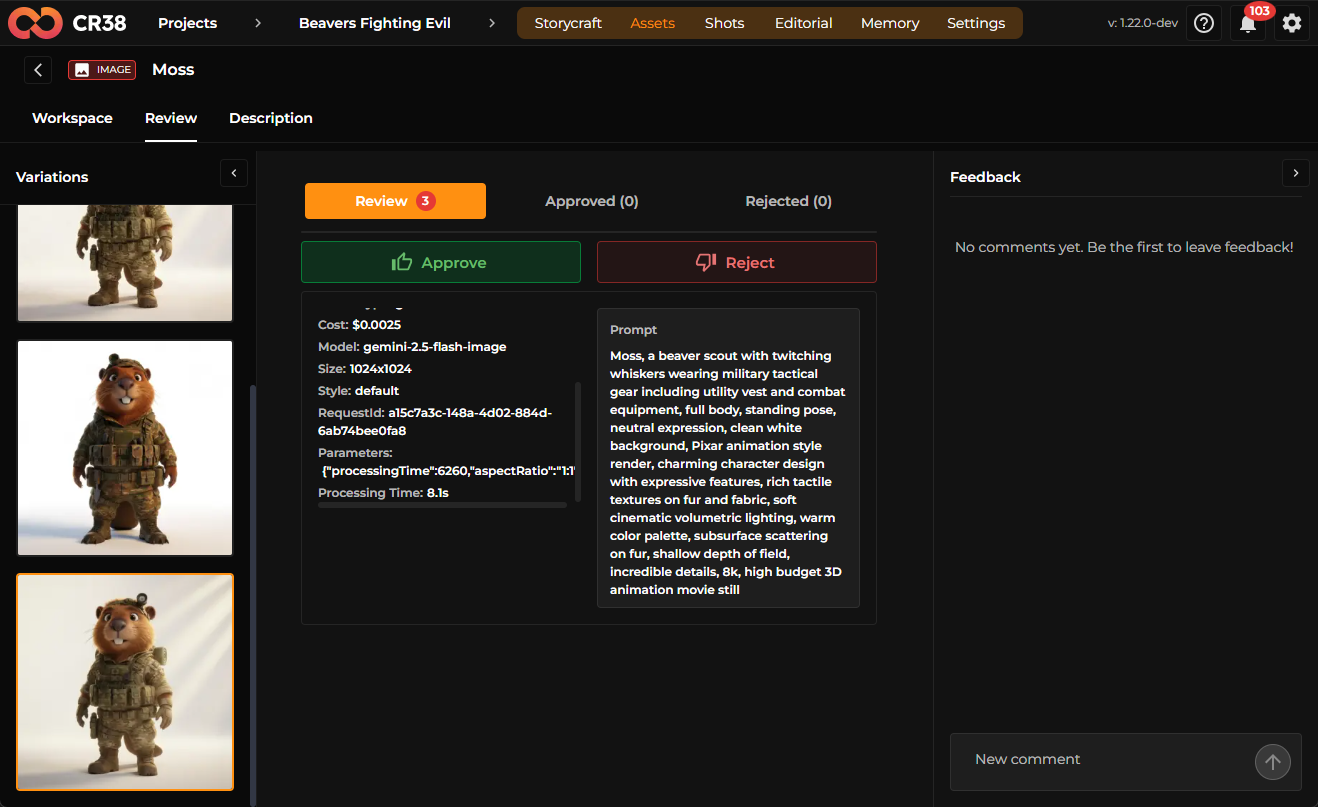
Once you find a version that fits the visual direction of your project, it is recommended to select or lock that version. Locking a version effectively turns it into a stable reference that the system can reuse when generating future scenes.
By consistently referencing the same selected version, the model has a clear visual anchor to follow. This greatly improves the likelihood that the character’s traits will remain stable throughout the project.
Best practice
Choose your main character reference early to reduce visual drift between scenes.
Using Character References During Scene Generation
Scenes are typically generated using a combination of character references and environment references. Whenever a character appears in a scene, the system automatically attaches the corresponding reference from the character card.
This reference acts as guidance for the model. Instead of generating a new interpretation of the character every time, the model attempts to reproduce the same visual identity based on the provided reference.
This mechanism is one of the primary ways the platform preserves continuity between scenes, especially when characters appear repeatedly across different environments and camera angles.
Warning
If a scene does not include the character reference, the generated character may look different.
Establishing Base Environments
In addition to characters, environments also benefit from a consistent reference. A practical workflow is to first generate a base scene image that defines the visual layout of a location.
Once the base environment exists, it can be reused as a reference when creating variations of the same location. For example, a theater environment might include several related shots such as backstage left, backstage right, the control room, and the stage itself.
Because each new image is generated using the original base scene as a reference, the system attempts to maintain spatial structure, lighting style, and overall atmosphere across the different variations.
This approach helps environments feel like coherent places rather than unrelated backgrounds.
Scenes and Shot Structure
Within the platform, scenes are automatically divided into multiple shots. Each shot represents a specific moment within the scene and contains structured information about how the image should be generated.
A shot typically includes details such as camera angle, scene composition, lighting conditions, and atmospheric elements. It also carries references to the characters and environments involved.
Because these references are reused from shot to shot, the system has a stable foundation for maintaining character appearance even when the camera angle, framing, or composition changes.
Starting Video Generation with a Start Frame
When generating video content, it is recommended to begin by creating a start frame. The start frame represents the first image of a shot and serves as the visual foundation for the animation.
Once the start frame has been generated and approved, it can be used as the basis for video generation. Since the frame already contains the correct characters, environment references, and composition, the resulting video is more likely to remain visually consistent with the rest of the scene.
This workflow ensures that the animation starts from a frame that already aligns with the intended visual direction.
Refining Results When Inconsistencies Appear
Although the system attempts to preserve visual consistency, AI generation is not always perfect. Occasionally, details such as clothing, facial structure, or proportions may drift between shots.
When this happens, manual refinement can help guide the model back toward the desired result. This might involve adjusting the prompt, modifying references, switching models, regenerating the scene, or providing additional visual references.
Tip
Iteration is a normal part of the creative process, and refining results gradually often leads to better outcomes than trying to achieve perfection in a single generation.
Iterating Instead of Restarting
Even when a generation produces imperfect results, it is rarely necessary to discard the entire character or scene setup.
Because the character card stores history and references, you can simply edit the description, adjust prompts, or regenerate specific outputs. Keeping the same character card allows the system to retain useful context, which improves consistency across future iterations.
Over time, this iterative workflow leads to a more stable and recognizable character design.
Summary
Maintaining character consistency relies on combining stable references with an iterative workflow. By building characters around a character card, selecting a strong reference version, and consistently reusing references across scenes and shots, the system can better preserve visual continuity.
Establishing base environments, starting video generation from a well-defined frame, and refining results through iteration further strengthen this consistency. Following this workflow helps ensure that characters remain recognizable and coherent throughout the entire project.